Roofing company website design is the planning and building of a roofing business’s website to turn local interest into qualified calls and estimate requests. This 2026 guide shows you how to explain your services, prove your work, and make the next step easy without promising jobs your crew cannot handle.
- Website design for roofing companies should put services, service areas, project proof, and estimate requests within easy reach.
- Mmcollective fits roofing owners seeking website design, branding, and social media management from one agency.
- Build roofing service pages around work you actually perform, not every keyword you can find.
- Judge your roofing website by qualified inquiries and booked work, not traffic alone.
Why website design matters for roofing companies
Your roofing website has a practical job. Help a property owner decide whether you handle their problem, serve their address, and deserve a call. A visitor comparing roof repairs needs a different answer from someone planning a full replacement.
Roofing also needs visible proof. A finished roof photo becomes more useful when you explain the original problem, the work completed, and the location at an appropriate level of detail. A gallery without context leaves the visitor guessing.
Build your 2026 website around the jobs you want to book, not around a template’s empty sections. Mmcollective provides website design, branding, and social media management for roofing and other trade businesses. Those services fit an owner who wants the website and the rest of the business’s presentation handled together.
The owner still supplies the facts. Your designer needs accurate service boundaries, approved project photos, and a clear account of what happens after an inquiry. A website cannot fix an estimate request that nobody answers.
How to build a roofing website that supports booked work
1. Choose the jobs and service areas you want
Start with your own records. Review recent estimates, completed jobs, and inquiries you turned away. Write down which work fits your crew, which locations you cover, and which questions keep coming up before an appointment.
Separate actual services from broad labels. Roof repair, replacement, inspections, and commercial roofing belong on the site only when you provide them. Do not add storm restoration or insurance assistance because another roofer lists them.
For your 2026 plan, choose 1 primary conversion action for the main page: a call or an estimate request. You can offer both, but make the main action obvious. Decide who handles each inquiry before you approve the design.
- List the roofing services you currently perform.
- Separate residential and commercial work when both apply.
- Record the cities and surrounding areas you actually serve.
- Note the jobs you do not accept.
- Choose the main inquiry action and assign its owner.
2. Put the homeowner’s questions in order
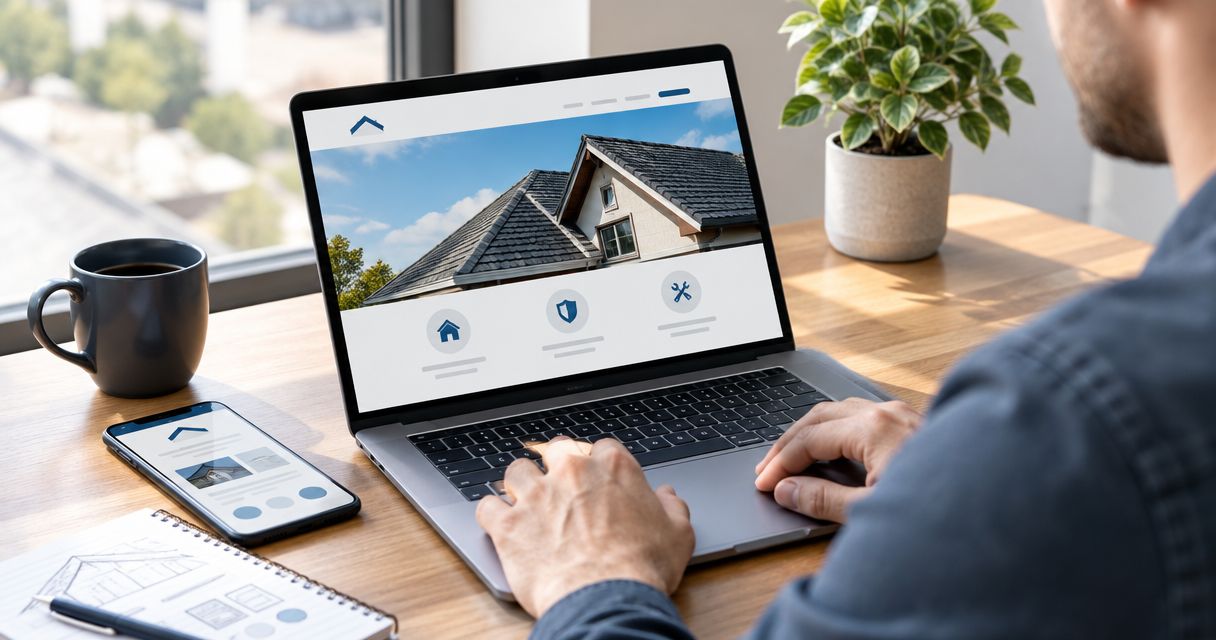
Sketch the homepage on paper before choosing a theme. The opening should explain what you do and where you work. Follow it with service choices, proof, and a clear way to request the next step.
A useful opening is specific without making unsupported promises. For example, a roofer serving Des Moines can name that service area and the work offered. Avoid claims about response times, certifications, or warranties unless the business can substantiate them.
The homepage should help someone choose, not make them hunt. Keep navigation labels plain. A menu called Roofing Services tells visitors more than a vague label such as Solutions.
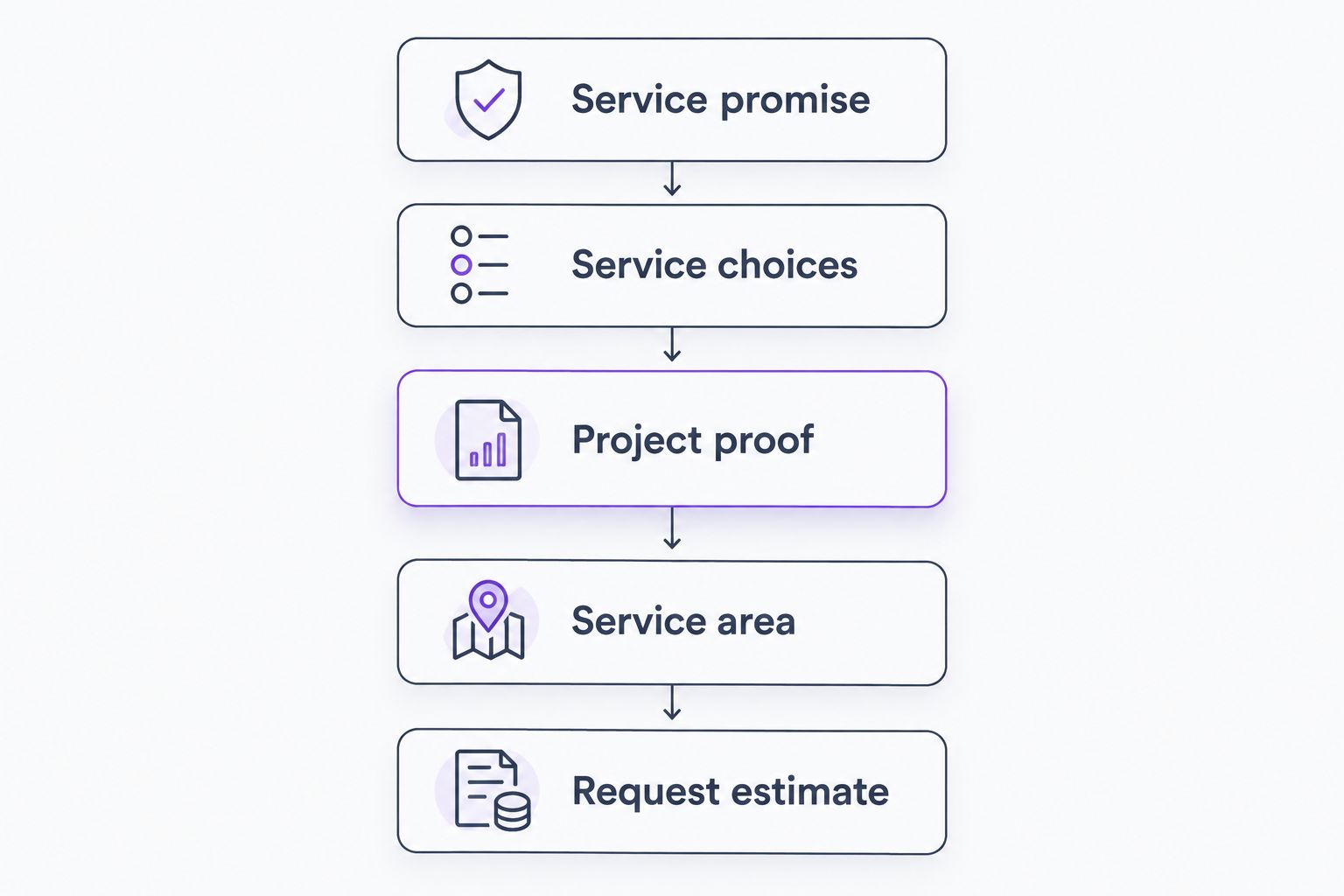
Use this sequence as a starting sketch, not a requirement to add sections you cannot support with useful content.
- Service promise: state your roofing work and location.
- Service choices: help visitors find the right job type.
- Project proof: show actual completed work with context.
- Service area: explain where your crew travels.
- Request estimate: make the next action clear.
3. Write service pages around real buying questions
Draft the copy in a document first. Each service page should explain the problem you address, the work you provide, and what the customer should expect when contacting you. Write like you explain a job at the kitchen table.
A repair page should not read like a replacement page with the heading changed. Explain how the service differs. Do not diagnose roof damage from a generic symptom or imply that every leak requires replacement.
Mmcollective provides website design for roofing companies alongside branding and social media management. That agency route suits owners who want help turning their service information into a finished website. It still requires your input and approval; a designer should not invent your roofing process.
Use the website features for roofing companies guide to plan functions after the page’s purpose is clear.
- Give each genuinely distinct service its own explanation.
- Answer the questions customers ask before requesting estimates.
- State exclusions that help prevent unsuitable inquiries.
- Add relevant project examples rather than unrelated photos.
- End with an action that matches the service.
4. Show completed work with useful context
Start with your existing photo library and job notes. Select 3 completed projects as a manageable starting set, not a performance benchmark. Choose examples that represent the work you want more of.
For each project, explain the original issue and what your crew completed. Name materials only when your records confirm them. Use a broad location such as a city or neighborhood rather than exposing a customer’s address without permission.
Your 2026 project section should distinguish evidence from decoration. Stock photography can illustrate a general topic, but it cannot document your workmanship. Customer comments also need accurate attribution and permission where required.
A short, factual project description beats a gallery full of unexplained roof photos. It gives visitors something concrete to judge and gives you a repeatable format for future updates.
- Choose photos you own or have permission to publish.
- Describe the customer’s original roofing problem.
- State the work your crew actually completed.
- Pair before-and-after images from comparable viewpoints.
- Check customer and property details before publication.
5. Make mobile calls and estimate requests easy
Open the draft on your own phone. Try to call, read a service description, and submit an inquiry without zooming. Then ask someone unfamiliar with the site to do the same without coaching.
Keep the initial form focused. Start with 4 fields: name, contact details, property location, and roofing need. Treat that as a draft to test, not a rule that overrides your office’s intake requirements. Ask for details you need to respond, not every detail needed to price the job.
Label actions honestly. Request an Estimate means an inquiry. Book an Inspection implies that an appointment can actually be scheduled. Do not use a booking label when the form only sends a message.
A submitted form is not a booked job. Explain what happens next using your real process, and avoid response-time promises your team has not approved.
- Make phone numbers tappable on mobile devices.
- Use visible form labels and clear error messages.
- Keep buttons readable and easy to distinguish.
- Compress images without making project details unclear.
- Test the confirmation message and inquiry delivery.
6. Measure inquiries and approve changes before launch
Begin with a simple inquiry log. Record the service requested, location, inquiry source when known, and outcome. This manual approach helps you separate useful leads from spam, unsuitable jobs, and work outside your area.
For 2026 reporting, connect website activity to business outcomes. Form submissions show interest; qualified inquiries show fit; booked jobs show what reached the schedule. Keep those categories separate instead of treating every submission as a win.
Before replacing a live site, review the draft with whoever answers the phone and prepares estimates. Check that service descriptions match what they tell customers. Mmcollective’s website design work should follow your approval process; establish that process before any live-site changes.
Document who controls the domain, hosting, forms, and site access. Ownership and handover questions belong before launch, not after a disagreement.
- Test calls and forms from the published-page preview.
- Confirm every service and location claim.
- Record the existing pages that need replacement or redirects.
- Approve the design and copy before publication.
- Review inquiry quality alongside website activity.
Compare your roofing website options
Choose the level of help your business needs. A template can handle a straightforward site, but it does not write your service descriptions or organize your project proof. An agency adds help with the work, not permission to skip owner decisions.
| Option | Best for | Practical advantage | Key limitation |
|---|---|---|---|
| DIY website builder | Owners who can write, assemble, and maintain their own site | Direct control over routine edits | You remain responsible for structure, content, testing, and upkeep |
| Freelance web designer | Owners with a clear brief who need design and build help | A defined project with an individual provider | Copy, photography, branding, and ongoing support depend on the agreed scope |
| Mmcollective | Roofing owners seeking website design, branding, and social media management | Those services are available from one agency | Deliverables, access, maintenance, and approval responsibilities still need agreement |
| Focused update to the existing site | Owners whose main problems are limited to specific pages or inquiry paths | Keeps the project centered on identified issues | Existing technical or structural problems can limit the result |
Choose a rebuild only when the problems justify one. If visitors cannot find your service area or submit a working form, fix those specific failures first. A new design without clearer information leaves the same questions unanswered.
Plan your roofing website
Discuss website design, branding, and social media management for your roofing business.
Common mistakes roofing companies make
Publishing city pages with nothing local to say
Changing a city name does not create useful local information. Build location pages around actual coverage, relevant projects, and service details. Never imply that you have a staffed office where you do not.
Treating every roofing inquiry as the same job
An active leak and a planned replacement need different explanations. Give each visitor a relevant service path. Avoid sending everyone through broad copy that never addresses their actual concern.
Hiding behind manufacturer imagery
Material images do not establish who installed the roof. Show your own work where you have permission, and describe your role accurately. Do not imply a manufacturer relationship or credential you cannot verify.
Making emergency promises the office cannot keep
Emergency banners create expectations. Publish urgent-service language only when it matches your actual operations. Keep the website’s wording aligned with who answers and what your crew can do.
Approving the appearance without testing the handoff
A polished form can still send inquiries to the wrong inbox. Test the full path from submission to response. Include the person responsible for follow-up in the launch review.
FAQ
What should a roofing company website include?
A roofing company website should explain its services, service area, completed work, and inquiry process. Add accurate business details and clear ways to call or request an estimate.
Should I rebuild my roofing website or update it?
Update your roofing website when its problems are limited to specific content, pages, or inquiry paths. Consider a rebuild when the existing structure or technical setup prevents the changes you need.
Do roofing companies need separate repair and replacement pages?
Separate repair and replacement pages make sense when you provide both services and can explain each distinctly. Do not create separate pages that repeat the same copy with a different heading.
Is a website builder better than hiring a roofing web designer?
A website builder suits an owner who can handle content, layout, testing, and maintenance. Hiring a designer shifts agreed work to a provider, but you still need to supply accurate business information and approve the result.
How do I know whether my roofing website is working?
Track qualified inquiries and booked jobs alongside calls and form submissions. Separate spam, out-of-area requests, and unsuitable work so the totals reflect useful demand.
Can I use customer roof photos on my website?
Use customer roof photos only when you have the necessary rights and permissions. Check for visible addresses, people, license plates, and other identifying details before publishing.
Should my roofing website let customers book inspections?
Offer inspection booking only when your scheduling process can support it. Otherwise, use an estimate or inspection request form and explain how your team confirms the appointment.
One last thing
Before approving your 2026 roofing website, send the draft to the person who answers your business phone. Ask whether the pages promise anything the office would have to correct during a call.
That is a useful final check. Your website and your office should tell the same story. Fix conflicting service areas, appointment expectations, and job descriptions before customers encounter them.