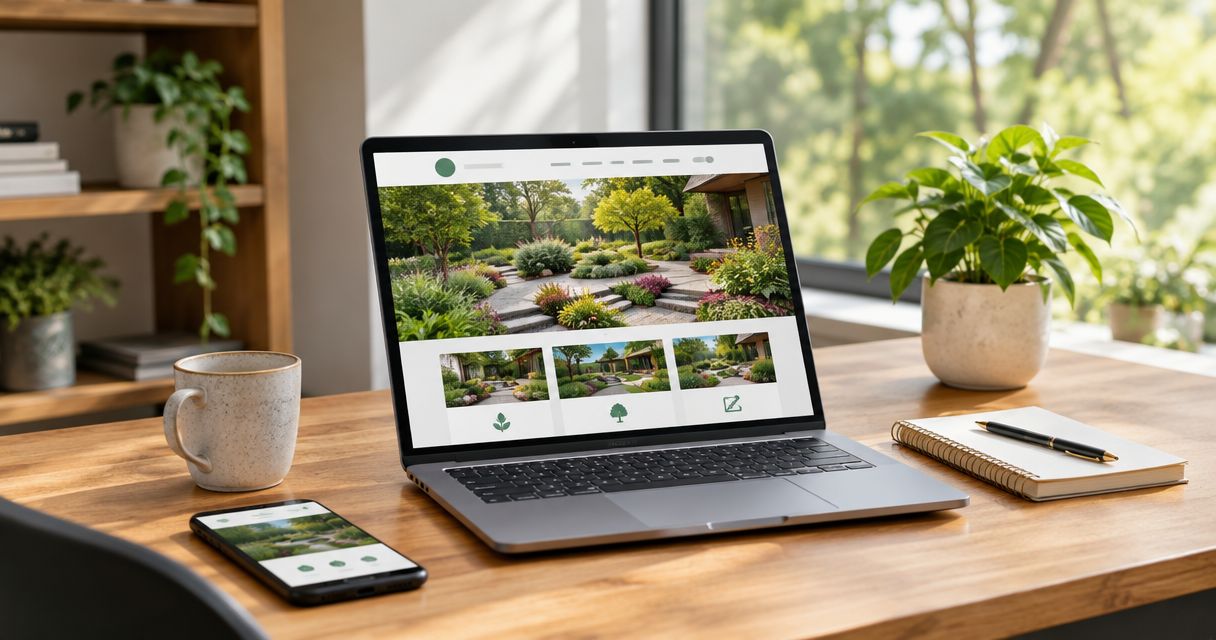
Landscaping website design is the planning of service pages, project photos, and estimate requests to help landscaping companies win suitable jobs. This guide to website design for landscaping companies shows you how to make your work clear, establish local credibility, and give homeowners an easy next step.
- Website design for landscaping companies should connect service pages, real project photos, local SEO, and clear estimate requests.
- Moore Media Collective fits trade owners seeking website design, branding, and social media management from an agency.
- Separate recurring maintenance from installation work so visitors can find the service they need.
- Measure qualified inquiries and booked jobs, not just website visits.
An outdated website needs more than fresh colors. It needs to tell customers what you do, where you work, and how to request an estimate. Moore Media Collective provides website design, branding, and social media management for trade businesses, including landscaping companies.
Moore Media Collective is best for trade owners seeking website design, branding, and social media management from an agency. Keep that scope in mind when choosing help: design support does not replace your responsibility to confirm services, approve claims, and review the finished work.
Why website design matters for landscaping companies
Landscaping customers need to judge physical work through a screen. A visitor considering regular mowing needs different information from someone planning a patio, drainage project, or full yard renovation. Your website must separate those jobs instead of burying everything under a broad claim about outdoor services.
Build your 2026 website around the work you actually want. A maintenance-focused company needs clear service boundaries and recurring-service inquiries. An installation-focused company needs detailed project examples and a way to qualify larger requests.
Local accuracy matters, too. Whether you serve Omaha, Kansas City, Des Moines, Denver, or Chicago, list only the places your crew covers. A city name belongs beside useful service information, not inside a stack of nearly identical pages.
How to build a landscaping website that supports booked jobs
1. Define the jobs you want before choosing a layout
Start with a plain document. List your actual services, service area, preferred project types, and reasons you turn work down. Then decide which inquiries deserve the most attention on your website.
Do not give every service equal space by default. If your business focuses on landscape installations, a homepage dominated by mowing photos sends the wrong message. If you want recurring maintenance accounts, lead with that service rather than a dramatic hardscape project you completed once.
Use a planning example, not a rigid formula: identify 3 priority services before choosing a homepage layout. That limit forces a decision about what matters most. Add secondary services where they help customers understand your full scope.
- Write down the services your crew currently performs.
- Separate residential and commercial work when both apply.
- Mark your actual service boundary on a map.
- Choose the inquiry you want each main page to generate.
2. Build pages around customer decisions
Sketch your navigation on paper before touching a website editor. A useful starting structure is 5 pages: Home, Services, Projects, About, and Request an Estimate. Treat that as a planning outline, not a requirement to squeeze every business into the same template.
Give distinct services their own pages when you have enough useful information to support them. A lawn-maintenance page should explain the work included. A landscape-installation page should explain what customers need to share before an estimate. Avoid thin pages that repeat the homepage with a different heading.
If building the structure yourself is slowing the project, bring the outline to a designer. Moore Media Collective provides website design for landscaping companies; your service list and project material give the design work a factual starting point.
- Use service names customers recognize.
- Explain inclusions and exclusions without vague promises.
- Place relevant project examples beside each service.
- Give every service page a clear next step.
3. Make the homepage answer the buying questions
Draw the homepage as a series of blocks. Start with the service and area, show relevant work, explain the main services, and finish with an estimate request. You do not need animation to make that sequence understandable.
A useful homepage order is Services, Service area, Project proof, Estimate request. Keep the service area visible without making visitors open a separate page. Use a headline that says what you do, not a slogan that could belong to any contractor.
For a 2026 redesign, check the opening screen on a phone before approving the desktop version. The company name, core service, and next action should remain readable without a video playing behind them. Do not make visitors dismiss a pop-up before they can understand the business.
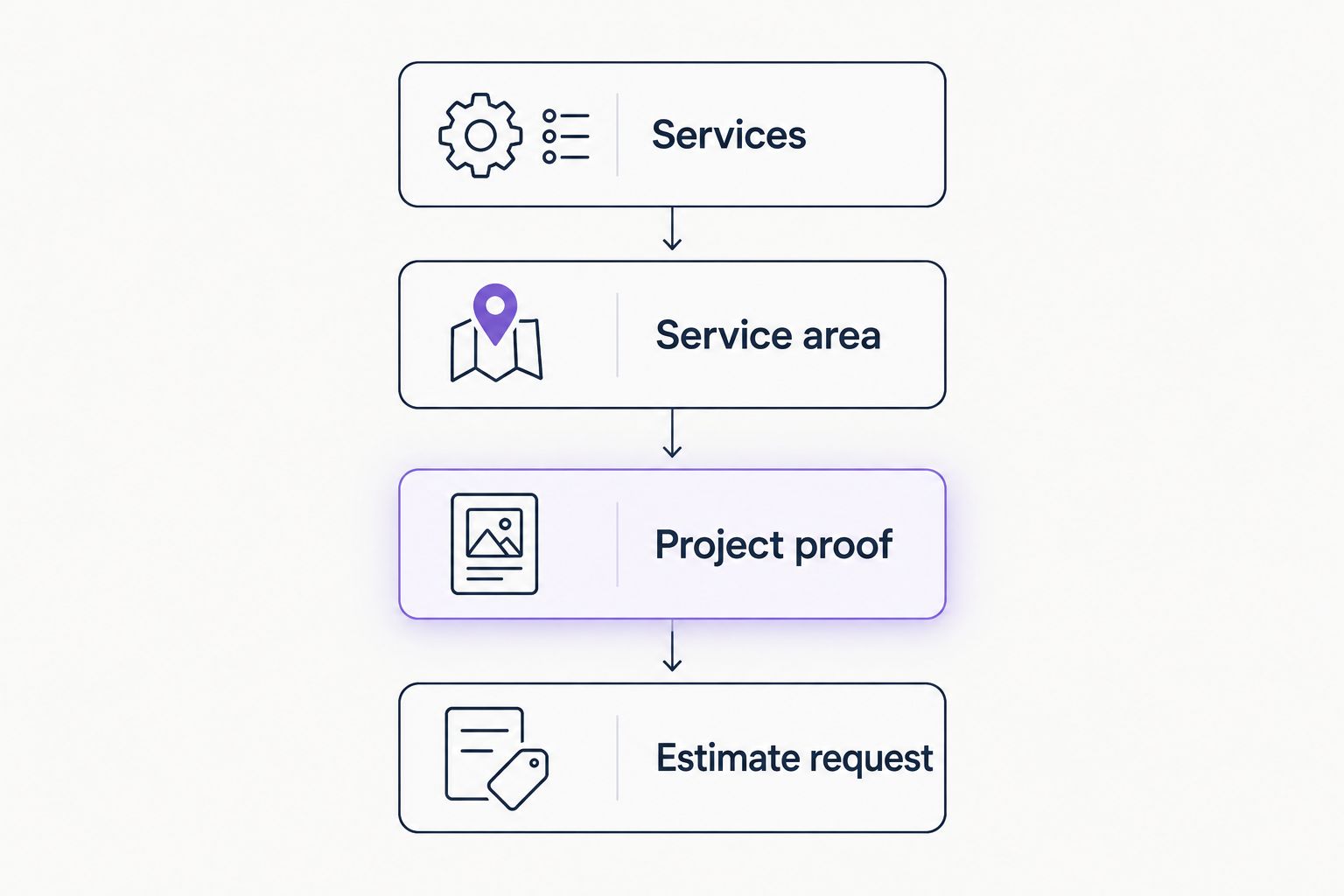
Use that sequence as an editing test, not a mandatory visual template. A maintenance company and a design-build landscaper can use different layouts while answering the same questions.
- Name the main service in the opening headline.
- Show an actual project rather than an unrelated stock yard.
- Label the main button with the action it starts.
- Keep decorative elements away from essential text.
4. Turn project photos into useful evidence
Sort your existing photos into folders by service and project. You can do this manually before buying any gallery software or commissioning a redesign. Choose images that explain the job, not just the ones with the brightest lawn.
Add short captions stating what the work involved. For example, a caption can describe bed preparation, planting, or a walkway installation when those details are true. Do not claim that a project solved drainage problems unless the work and outcome support that statement.
Pair before-and-after images from similar viewpoints. Otherwise, visitors must guess what changed. Get permission before publishing identifiable customer property, and remove visible addresses or other private details where needed.
Moore Media Collective's website design and branding services fit owners who need help presenting this material. You still need to supply accurate project details and approve their use.
- Group photos by the service they demonstrate.
- Keep original image files for future use.
- Write captions that describe the actual work.
- Remove location data and private details before publishing.
- Use genuine customer feedback only with appropriate permission.
5. Write local pages that earn their place
Start by listing the places your crew serves and the practical boundaries around those routes. Then write service-area information that helps a customer decide whether to inquire. A location page needs more than a city name repeated in headings.
For example, a landscaper serving Denver can explain which surrounding communities fall within its route, if that information is accurate. A company working across parts of Kansas City can state its coverage clearly instead of implying it serves the entire metro area.
Your 2026 local SEO plan should keep business details consistent across your website and Google Business Profile. Google states that local results mainly depend on relevance, distance, and prominence; adding city names to copy does not remove the distance factor.
- Publish only service areas you actually cover.
- Keep your business name and contact details consistent.
- Use local project examples when you have permission.
- Write distinct service information instead of copying city pages.
- Set up Google Search Console to monitor search visibility.
6. Make estimate requests easy to complete
Test the inquiry process yourself before adding more software. Open the website on a phone, submit the form, and confirm that the request arrives where someone will handle it. A working form matters more than a decorative contact page.
Begin with the information needed to decide the next action. Name, contact details, service location, and requested work are a practical starting point. Add photo uploads only when they help you assess jobs and you can handle those files safely.
Make the button match the process. Use Request an Estimate if someone must review the inquiry. Do not label a request form Book Now unless it actually schedules an appointment. State what happens next without promising a response deadline your team has not approved.
- Make phone numbers tappable on mobile devices.
- Ask only for information needed at the inquiry stage.
- Explain whether submission requests an estimate or confirms an appointment.
- Show a clear confirmation after submission.
- Test error messages and keyboard access.
7. Measure job quality and approve changes
Start with a shared spreadsheet. Record the inquiry source, requested service, service location, and whether the lead became a booked job. This gives you a practical way to distinguish useful inquiries from traffic that never fits your business.
Use a 30-day review cycle as an operating habit, not a promise of results. Look for recurring problems: requests outside your area, inquiries for services you do not offer, or visitors misunderstanding the estimate process. Fix the message behind the problem before adding more pages.
Keep a record of your 2026 website changes. Review proposed copy, forms, tracking, and design updates before publication. When working with an agency, agree on who approves changes and who can publish them; do not leave live-site access or approval responsibilities unclear.
- Count qualified inquiries separately from total submissions.
- Record booked jobs without assuming every job came from the website.
- Test forms after changes to plugins or page layouts.
- Approve changes before they reach the live website.
Compare your website design options
Choose the option that matches your time, content readiness, and need for outside help. None removes the need for accurate service information or owner approval.
| Option | Best for | Main advantage | Key limitation |
|---|---|---|---|
| DIY website builder | Owners who want direct control and can handle the setup | You can edit pages yourself | You must plan the structure, prepare content, and test inquiries |
| Freelance designer | Owners with a defined website brief | You can hire help for a specific design scope | Writing, maintenance, and branding depend on the agreed scope |
| Moore Media Collective | Trade owners seeking website design alongside branding and social media management | The stated services cover several related business needs | You must confirm deliverables, maintenance responsibilities, and approval steps |
Choose DIY when you have time to build and maintain the site. Choose outside design help when you need someone to handle the design work. Get the scope in writing either way. Ask who supplies photos, who writes service copy, and who handles updates after launch.
Discuss your landscaping website
Bring your service list, project photos, and website goals to a design conversation.
Common website mistakes landscaping companies make
Mixing maintenance and installation inquiries
A single broad service description forces visitors to guess whether you handle their job. Separate recurring upkeep from installation work in your navigation, examples, and forms. You can offer both without presenting them as the same buying decision.
Showing attractive photos without explaining the work
A finished yard does not tell visitors which parts your crew completed. Add factual captions and connect each project to the relevant service. Do not let an image imply you installed features that were already there.
Advertising a service area the crew cannot cover
Listing every nearby city creates expectations your operations must meet. State real boundaries and review them when routes change. A smaller accurate service area is more useful than a long list that produces unsuitable requests.
Treating a form submission as a booked job
An inquiry is not an appointment. Label the process accurately and explain the next action. If someone still needs to review scope, location, or scheduling, say so before the customer submits.
Publishing the redesign without testing it
A desktop preview does not prove the website works. Test phone links, forms, navigation, and confirmation messages on actual devices. Approve the final version before publication, then check the live site again.
FAQ
What's the best website design for a landscaping company?
The best landscaping website design makes your services, service area, project evidence, and estimate process clear. Choose the layout around the jobs you want rather than visual effects.
Should my landscaping website have separate service pages?
Use separate service pages when the services involve different customer questions and you have useful information for each. Avoid creating pages that only repeat the same text under different headings.
Do I need a separate website page for every city I serve?
No, you do not need a separate page for every city. Create a location page only when you can provide distinct, accurate information that helps customers in that area.
Is a DIY website better than hiring a designer?
A DIY website suits owners who can handle planning, writing, editing, and testing themselves. Hiring a designer gives you outside help, but you must still confirm the scope and supply accurate business information.
What should a landscaping estimate form ask for?
A landscaping estimate form should collect contact details, the service location, and a description of the requested work. Ask for additional information only when it helps your team decide the next step.
Can I use stock photos on my landscaping website?
Stock photos can illustrate a general topic, but they should not be presented as your completed work. Use your own project photos as evidence and obtain permission before publishing identifiable customer property.
What should I measure after launching a landscaping website in 2026?
Measure qualified inquiries and booked jobs alongside website traffic. Record requested services and locations so you can identify whether the website attracts work your crew actually handles.
One last thing
Ask someone unfamiliar with your company to find a specific service and request an estimate. Watch without giving directions. If they hesitate, change the unclear label or missing information before adding another design feature.
For your 2026 website, make that test part of approval. A polished page still needs to work for the person trying to hire you.