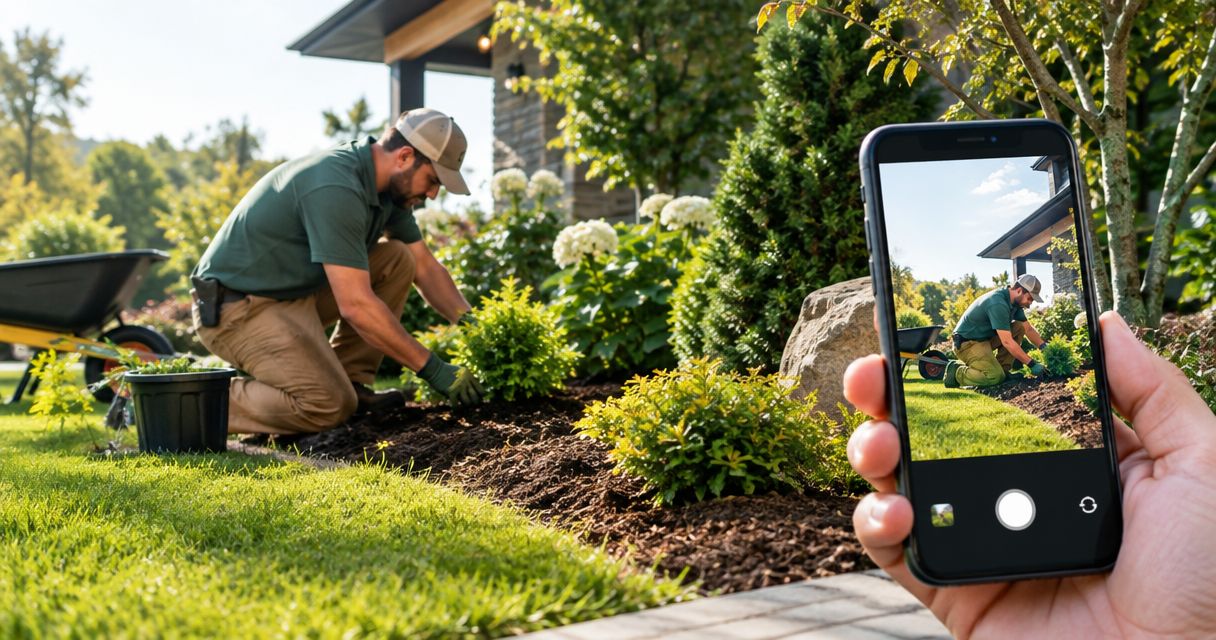
Best overall: finished-project wide shots. Best for showing a transformation: matched before-and-after photos. Best starting point: a clear phone photo of a completed job. The best Google Business Profile photos for landscapers in 2026 show the work you want to book, the people doing it, and the details a homeowner needs to trust you.
- The best Google Business Profile photos for landscapers start with finished projects, not equipment or promotional graphics.
- Use matched before-and-after photos to explain landscape transformations without exaggerated editing.
- Add crew photos and detail shots so homeowners can judge both the business and its work.
- Mmcollective offers branding, website design, and social media management for trade businesses.
Why this matters
A homeowner looking for a landscaper needs more than a business name and a mower. Your photos should answer practical questions: Do you handle jobs like mine? Does the finished work look cared for? Who will show up at my house?
Treat your 2026 photo selection as a portfolio, not a camera roll. A clean image of the service you actually sell belongs ahead of an impressive project outside your scope. If you want recurring lawn maintenance, show maintained lawns. If you want planting installations, show those installations clearly.
Mmcollective provides branding, websites, and social media management for trade businesses. Mmcollective is best for trade owners seeking branding, website design, and social media management together. The same practical standard applies to your profile: make your business easy to recognize and your work easy to judge.
What makes the best landscaping profile photos?
Use these criteria before choosing your next upload. A photo should earn its place by answering a customer question, not simply filling space.
- Service relevance: Show work you currently offer and want customers to request.
- Visible results: Make the lawn, planting, grading, or hardscape easy to inspect.
- Honest presentation: Keep colors, perspective, and before-and-after comparisons believable.
- Human credibility: Show the actual people and business behind the work, with permission.
- Clear composition: Give the main subject room. Remove distractions before taking the photo.
- Customer privacy: Keep addresses, license plates, and identifying details out when permission is absent.
A beautiful image is not automatically a useful business photo. A tight flower close-up might look good while telling a homeowner almost nothing about the landscaping service you provide.
Best landscaping photos at a glance
| Rank and photo type | Best for | Standout feature | Key limitation |
|---|---|---|---|
| 1. Finished-project wide shots | Showing the overall result | Explains the completed job in context | Fine workmanship can disappear at a distance |
| 2. Matched before-and-after photos | Explaining transformations | Makes the change easy to compare | Different angles or seasons can mislead |
| 3. Workmanship detail shots | Showing finish quality | Makes edges, joints, and planting details visible | Does not explain the whole project |
| 4. Crew-at-work photos | Showing who performs the work | Connects people with the service | Poor framing can hide the actual task |
| 5. Recurring-maintenance photos | Attracting routine service work | Shows the finish customers receive repeatedly | Similar lawns can become repetitive |
| 6. Seasonal-service photos | Matching current customer needs | Shows a relevant service in context | Old seasonal images can distract |
| 7. Branded vehicle and team photos | Helping customers recognize you | Connects your name with your people | Does not prove landscape quality |
1. Finished-project wide shots: best for the overall result
A finished-project wide shot shows what the customer gets. Include enough of the property to explain how the lawn, beds, paths, or planted areas work together. Move tools, hoses, and leftover materials before taking the picture.
Best for: Homeowners deciding whether your finished work matches their property and expectations.
Finished-project wide shot pros:
- Shows the completed service rather than a promise.
- Helps customers understand the project's layout.
- Gives your detail photos useful context.
Finished-project wide shot cons:
- Small defects and careful finishing are difficult to inspect.
- An overly distant view makes the work look insignificant.
Take the main shot from a position that explains the job, not just the easiest place to stand. For a front-yard planting installation, include the bed edges and relationship to the house. For lawn care, keep the lawn itself prominent.
Verdict: Use. Make a finished-project wide shot your default choice when you have a clear, representative example of the service you want to book.
2. Matched before-and-after photos: best for transformations
Before-and-after photos explain a change that a finished image alone cannot. They work especially well when the starting condition matters: overgrown beds, an untidy yard, or a planting area that needed a clear redesign.
Best for: Customers evaluating cleanup, renovation, or installation work.
Before-and-after photo pros:
- Makes the scope of the change understandable.
- Shows the starting problem alongside the result.
- Gives homeowners a concrete project to discuss.
Before-and-after photo cons:
- Different viewpoints make comparisons harder to judge.
- Changes in weather or season can exaggerate the apparent improvement.
Capture 2 photos from the same standing position, one before work and one after. Keep the camera height and framing similar. Do not darken the before image or push the finished lawn toward an unnatural green.
For your 2026 portfolio, choose comparisons that remain honest without a sales caption. If you need a long explanation to justify the difference, use a clearer pair.
Verdict: Use. Keep the comparison fair and let the work carry the claim.
3. Workmanship detail shots: best for finish quality
Detail shots show the parts of a landscape that disappear in a wide view. Depending on the service you actually provide, that might mean a clean bed edge, consistent paver joints, or a finished planting area without scattered debris.
Best for: Homeowners who want to inspect the finish before discussing a project.
Workmanship detail shot pros:
- Makes specific finishing work visible.
- Supports a wider project photo with closer evidence.
- Helps explain differences between services you offer.
Workmanship detail shot cons:
- A close-up can hide problems elsewhere in the project.
- Attractive materials alone do not demonstrate installation quality.
Include enough surrounding area to explain what the viewer is seeing. A photograph of stone texture is not the same as a photograph showing how a path meets a planting bed.
Pair a detail image with its finished-project view when selecting your portfolio. Do not expect homeowners to reconstruct the entire job from isolated close-ups.
Verdict: Use. Treat detail shots as supporting evidence, not your whole photo selection.
4. Crew-at-work photos: best for showing the service in action
Crew photos show the people behind the business performing a recognizable task. Photograph actual work without interrupting safe operation or asking someone to pose beside moving equipment.
Best for: Homeowners who want to understand who performs the service and what the visit involves.
Crew-at-work photo pros:
- Connects your business with real people.
- Shows a service that finished images cannot explain alone.
- Adds variety to a project-heavy photo selection.
Crew-at-work photo cons:
- Busy backgrounds can obscure the task.
- Careless staging can show unsafe or unprofessional behavior.
Get permission from anyone clearly identifiable. Frame the task and the result together when possible: a crew member defining a bed edge is more informative than a distant person hidden behind equipment.
Do not use a crew photo to imply credentials, employment arrangements, or capabilities that the image does not establish. Show the work plainly.
Verdict: Use. Choose clear, safe, unstaged moments over forced action poses.
5. Recurring-maintenance photos: best for routine service leads
Maintenance photos should show what a normal completed visit looks like. Feature the services you perform, such as mowing, edging, pruning, or bed maintenance, rather than presenting an unrelated installation as your everyday offering.
Best for: Customers comparing ongoing lawn and landscape maintenance providers.
Recurring-maintenance photo pros:
- Matches the routine work you want to sell.
- Gives customers a realistic picture of the finish.
- Shows that ordinary properties belong in your portfolio.
Recurring-maintenance photo cons:
- Repeated views of similar lawns add little information.
- Mowing patterns alone do not show the full maintenance service.
Build your 2026 maintenance selection around useful differences. Show an overall lawn, a finished edge, and a maintained bed when those services belong in your offering. Avoid uploading near-identical views from the same visit.
A modest property with clearly finished work is more relevant to a routine-service customer than a dramatic project you rarely perform.
Verdict: Use. Match the photos to the jobs you want on the schedule.
6. Seasonal-service photos: best for timely customer questions
Seasonal photos show a service in the conditions where customers need it. Examples include leaf cleanup, seasonal planting, and garden-bed preparation, but only feature work your business actually offers.
Best for: Homeowners searching for a specific seasonal task.
Seasonal-service photo pros:
- Makes a seasonal service easy to recognize.
- Shows the condition addressed and the finished result.
- Broadens a portfolio beyond peak growing-season lawns.
Seasonal-service photo cons:
- Images lose immediate relevance as the season changes.
- Seasonal appearance can distract from the quality of the work.
Keep the location and service honest. An Omaha landscaper should not use a borrowed tropical garden image to make a local portfolio look fuller. The same rule applies in Kansas City, Des Moines, Denver, or Chicago: show your own work, not someone else's setting.
Review seasonal selections during your 2026 updates. Retain useful evidence of services you still offer, but do not make outdated seasonal work your only recent-looking material.
Verdict: Use selectively. Relevance matters more than filling the gallery.
7. Branded vehicle and team photos: best for recognition
A clear vehicle or team photo helps connect the business name with the people customers expect to meet. Keep the actual vehicle or team prominent, rather than photographing a distant truck surrounded by clutter.
Best for: Customers checking the identity of the business before a visit.
Vehicle and team photo pros:
- Connects your name with recognizable people or vehicles.
- Gives your profile an identity beyond finished landscapes.
- Supports consistency with your website and social profiles.
Vehicle and team photo cons:
- Does not show the quality of completed landscaping.
- Old branding or former team members can create confusion.
Ask permission before publishing identifiable team members. Check that visible branding matches the business you operate now, and avoid exposing personal details in the background.
Keep these photos behind evidence of the work itself. A polished truck cannot answer whether you leave a planting bed, lawn, or walkway properly finished.
Verdict: Use as support. Recognition matters, but project photos should do the heavy lifting.
How these photo types are ranked
The ranking favors service relevance, visible results, honest presentation, human credibility, and clear composition. Finished-project views come first because they explain the outcome. Supporting photos answer narrower questions about transformation, finish, people, and identity.
This is an editorial selection framework, not a claim that Google rewards these categories in this order. No photo type guarantees rankings, calls, or booked jobs. Choosing a cover photo also does not guarantee Google will display it first.
Build a useful set from your next job
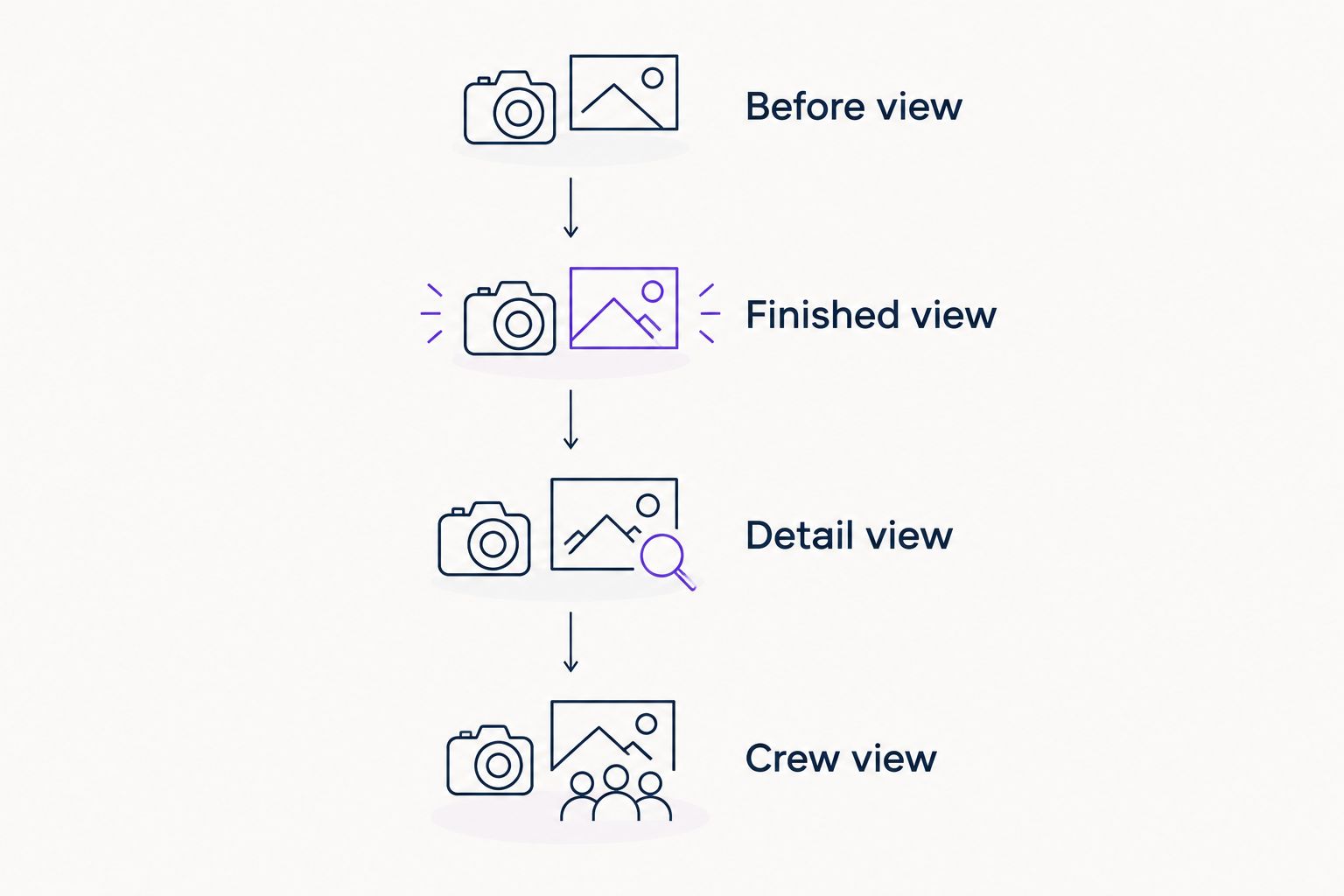
Use a simple capture sequence instead of taking random pictures at cleanup time. Ask for permission before photographing customer property, and avoid identifying details you do not have permission to publish.
- Before view: Take 1 photo before work starts if the change will be useful to show.
- Finished view: Take 1 wide photo after cleanup from the same position.
- Detail view: Take 1 closer photo of a relevant finishing detail.
- Crew view: Add a work-in-progress image only when it is safe and permitted.
You do not need every image from every job. Select the shots that answer different questions, remove weak duplicates, and keep originals so you can use the same accurate project story elsewhere.
Which landscaping photos should you choose?
Start with finished-project wide shots, then add matched before-and-after photos and relevant details. That combination explains the result, the change, and the finish without asking a homeowner to take your word for it.
For 2026, build around the service you want to book next. Maintenance businesses need maintenance evidence. Installation businesses need completed installations. Use crew, seasonal, and vehicle photos to support that core selection, not replace it.
Mmcollective offers branding, website design, and social media management for trade businesses. Keep those customer-facing materials consistent with the real work your profile shows.
FAQ
What's the best Google Business Profile photo for a landscaper?
A clear finished-project wide shot is the best starting point for a landscaper. It shows the completed service in context; add detail photos when the finish needs a closer view.
Are before-and-after photos better than finished lawn photos?
Before-and-after photos are better for explaining a transformation, while finished lawn photos show the result directly. Use matching camera positions so the comparison remains fair.
Can I use phone photos on my landscaping business profile?
Yes, you can use phone photos on your landscaping business profile. Choose sharp, well-lit images with clear subjects, and avoid filters that change the appearance of the work.
Should I post my crew or my landscaping equipment?
Prioritize a crew photo that shows a real service being performed safely over an isolated equipment photo. Equipment alone does not explain the result a homeowner receives.
Will better photos make my landscaping business rank first on Google?
No photo selection guarantees first place on Google. Use photos to help customers judge your services, and keep your business information accurate.
Should I add text and my logo to every project photo?
No, keep project photos focused on the actual work rather than covering them with promotional text. Use your profile's dedicated logo option for your business identity.
Can I use stock landscaping photos if I don't have enough projects?
Use your own project photos to represent your landscaping work. A smaller selection of genuine images is more honest than presenting stock landscapes as completed customer jobs.
One last thing
The best-looking job is not always the best photo to lead with. If it shows work you do not want to sell, it sends the wrong message. Before uploading, ask one question: Would I want the next caller to ask for this exact service?