
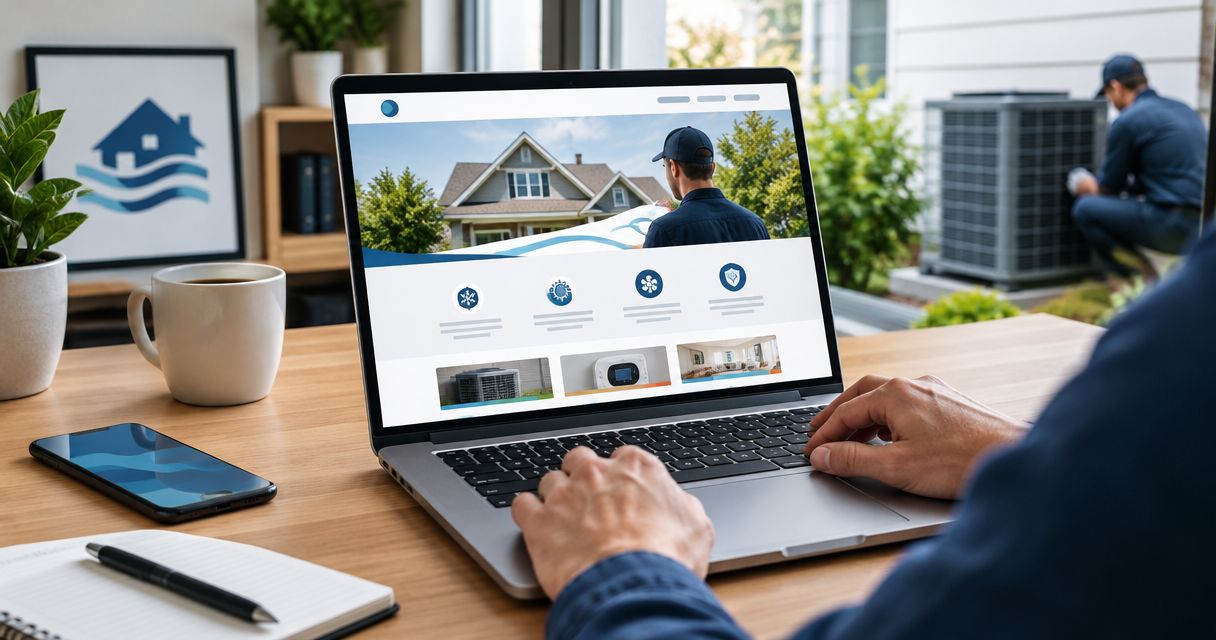
Best overall: the Call-first service layout; best for planned installations: the Replacement project layout; best for a focused local business: the Compact local layout. This 2026 guide compares the best website homepage layouts for HVAC contractors, while Mmcollective provides website design and branding for trade businesses that need those pieces handled by one agency.
- The best website homepage layouts for HVAC contractors put the customer's next step ahead of company history.
- Choose the Call-first service layout for repair inquiries and the Replacement project layout for installation requests.
- Use the Commercial qualification layout when property managers need to explain buildings, equipment, and service requirements.
- Mmcollective provides HVAC website design and branding; choose your homepage structure around the work you want.
Why this matters
Your homepage has a job. Help the right customer understand what you do, where you work, and how to contact you. A homeowner with broken cooling needs a different opening from a property manager planning equipment replacement.
Choose the layout around the inquiry you want, not the template you like. Putting a company-history paragraph above your services makes visitors read about you before they can judge whether you handle their problem.
Mmcollective provides website design for HVAC and other trade businesses. For the broader planning process, use the website design for HVAC contractors complete guide. This article focuses on the homepage structure.
What makes the best HVAC homepage layout
Use these criteria to choose your 2026 homepage layout:
- Service clarity: Name the work you actually perform. Separate repair, maintenance, and replacement when those services are offered.
- Contact priority: Give the main action a clear place near the opening. Do not make every button compete for attention.
- Local relevance: State your real service area. A city name belongs beside useful service information, not inside a list of places you do not serve.
- Buyer fit: Match the page to homeowners, replacement shoppers, or commercial decision-makers. Their questions differ.
- Credible proof: Use genuine job photos, authorized testimonials, and accurate credentials. Leave unsupported badges out.
- Mobile usability: Keep navigation, buttons, and forms usable on a phone. Test the actual contact path, not just the screenshot.
For the opening screen, start with 1 primary action. Add a secondary route only when it serves a different customer need, such as requesting an installation estimate instead of calling about repair.
HVAC homepage layouts at a glance: 2026
| Layout | Best for | Standout feature | Key limitation |
|---|---|---|---|
| Call-first service layout | Urgent repair inquiries | Contact action beside the service headline | Needs a separate route for planned projects |
| Replacement project layout | Planned equipment installations | Project explanation before the estimate request | Less direct for repair-first customers |
| Residential service hub | Mixed homeowner services | Clear paths into different service categories | Becomes cluttered without firm priorities |
| Commercial qualification layout | Business and property-management inquiries | Scope details beside the contact route | Too detailed for a simple residential request |
| Compact local layout | A focused service area and offering | Short path from local relevance to contact | Offers limited room for complex services |
1. Call-first service layout: best for repair inquiries
The Call-first service layout leads with the problem you handle, your service area, and a visible contact action. It puts the next step ahead of the company story. Use it when repair inquiries are the main purpose of your homepage.
A practical opening names the actual service and location. An Omaha contractor that serves Omaha can say so plainly, then place the call action beside that statement. Only describe emergency or after-hours service when your business actually offers it.
Below the opening, show 3 service cards if repair, maintenance, and replacement accurately describe your offering. Each card should explain the work rather than repeat the same sales line.
Call-first service layout pros:
- Gives repair customers a direct contact route.
- Keeps the main service easy to identify.
- Leaves room for proof immediately below the opening.
Call-first service layout cons:
- Does not explain a replacement project in depth.
- Depends on accurate phone details and contact expectations.
Best for: HVAC contractors whose homepage primarily needs to generate repair inquiries.
Verdict: Buy — choose the Call-first service layout when repair is your homepage's main job.
2. Replacement project layout: best for planned installations
The Replacement project layout gives customers context before asking for an estimate request. It explains the installation services you offer, shows relevant completed work, and makes the project inquiry easy to find. Choose it when you want the homepage to support planned replacement conversations.
Start with the project, not an equipment catalog. Explain whether you handle furnace replacement, cooling replacement, or another installation service you actually provide. Then show the customer what information to submit.
For a Kansas City business serving that market, a local project photo with an accurate description is more useful than an unlabeled stock image. Keep equipment claims, financing statements, and warranty language tied to verified business information.
Replacement project layout pros:
- Gives installation work room for explanation.
- Supports genuine project photos and descriptions.
- Lets the inquiry form collect project context.
Replacement project layout cons:
- Adds reading before the contact action.
- Needs a separate, visible route for repair customers.
Best for: HVAC contractors making planned equipment installations the homepage's priority.
Verdict: Buy — choose the Replacement project layout when installation inquiries matter more than repair calls.
3. Residential service hub: best for mixed homeowner services
The Residential service hub organizes the homepage around separate homeowner needs. Repair, maintenance, and installation each get a clear route when those services are offered. This layout suits a business that cannot reduce its homepage to a single service.
Keep the opening unified. State what your residential business does, then let customers choose the relevant service below it. Do not put several equally prominent buttons inside the headline area.
A Des Moines contractor serving homeowners can organize services by the work customers need rather than internal department names. Carry that same naming into the navigation. If the homepage says heating repair, the menu should not label the destination with an unexplained abbreviation.
Residential service hub pros:
- Separates distinct homeowner needs.
- Makes a broader service range understandable.
- Supports consistent navigation across the website.
Residential service hub cons:
- Becomes crowded when every service receives equal emphasis.
- Requires useful service content beyond the homepage.
Best for: Residential HVAC contractors offering several distinct service categories.
Verdict: Buy — choose the Residential service hub when customers need clear routes into different services.
4. Commercial qualification layout: best for business inquiries
The Commercial qualification layout explains the work you handle before asking visitors to describe their requirements. It gives business customers space to assess service scope and submit relevant details. Use it for commercial work, not as a more formal-looking version of a residential page.
Name the building types and services your company actually handles. A Chicago contractor should not list facilities, equipment categories, or coverage areas simply because they sound impressive. The page needs to reflect real capabilities.
Place the contact route beside a short explanation of useful inquiry details: property location, service needed, and the problem or project. Keep equipment details optional unless your team genuinely needs them to respond.
Commercial qualification layout pros:
- Gives business customers relevant service context.
- Collects information useful for an initial conversation.
- Separates commercial work from homeowner messaging.
Commercial qualification layout cons:
- Adds friction for simple residential requests.
- Requires accurate descriptions of service scope.
Best for: HVAC contractors whose target inquiries come from businesses and property managers.
Verdict: Buy — choose the Commercial qualification layout when commercial scope belongs at the center of the conversation.
5. Compact local layout: best for a focused service area
The Compact local layout keeps the page short. It covers the core service, actual coverage area, credible proof, and contact route without adding sections just to fill space. Choose it when your offering is narrow enough to explain plainly.
A Denver business serving a defined area can name that coverage and show relevant work without publishing a long city list. The same structure works for a plumbing company with a focused service offering or a landscaping business promoting a clearly defined service.
Short does not mean vague. Customers still need to know what you do and how to reach you. A large image with only a slogan is not a useful compact homepage.
Compact local layout pros:
- Keeps the path to contact easy to follow.
- Gives local relevance a clear place.
- Limits unnecessary content maintenance.
Compact local layout cons:
- Leaves little room to explain complex projects.
- Needs expansion when service categories become distinct.
Best for: Trade businesses with a focused offering and a clearly defined service area.
Verdict: Buy — choose the Compact local layout when a short page can answer the customer's main questions.
How these layouts are ranked
The 2026 ranking puts the most direct repair-inquiry structure first, then separates the alternatives by buyer need. The criteria are service clarity, contact priority, local relevance, buyer fit, credible proof, and mobile usability.
This is a fit-based ranking, not a measured conversion leaderboard. Mmcollective's website design and branding services are relevant to the build; the layout choice still depends on your business. A commercial contractor should choose commercial qualification rather than copy the first-ranked residential repair structure.
Build the homepage in the right order
Do not start by picking animation effects. Set the business priority, write the opening, add real proof, and test the contact route. Those decisions give the design something useful to organize.
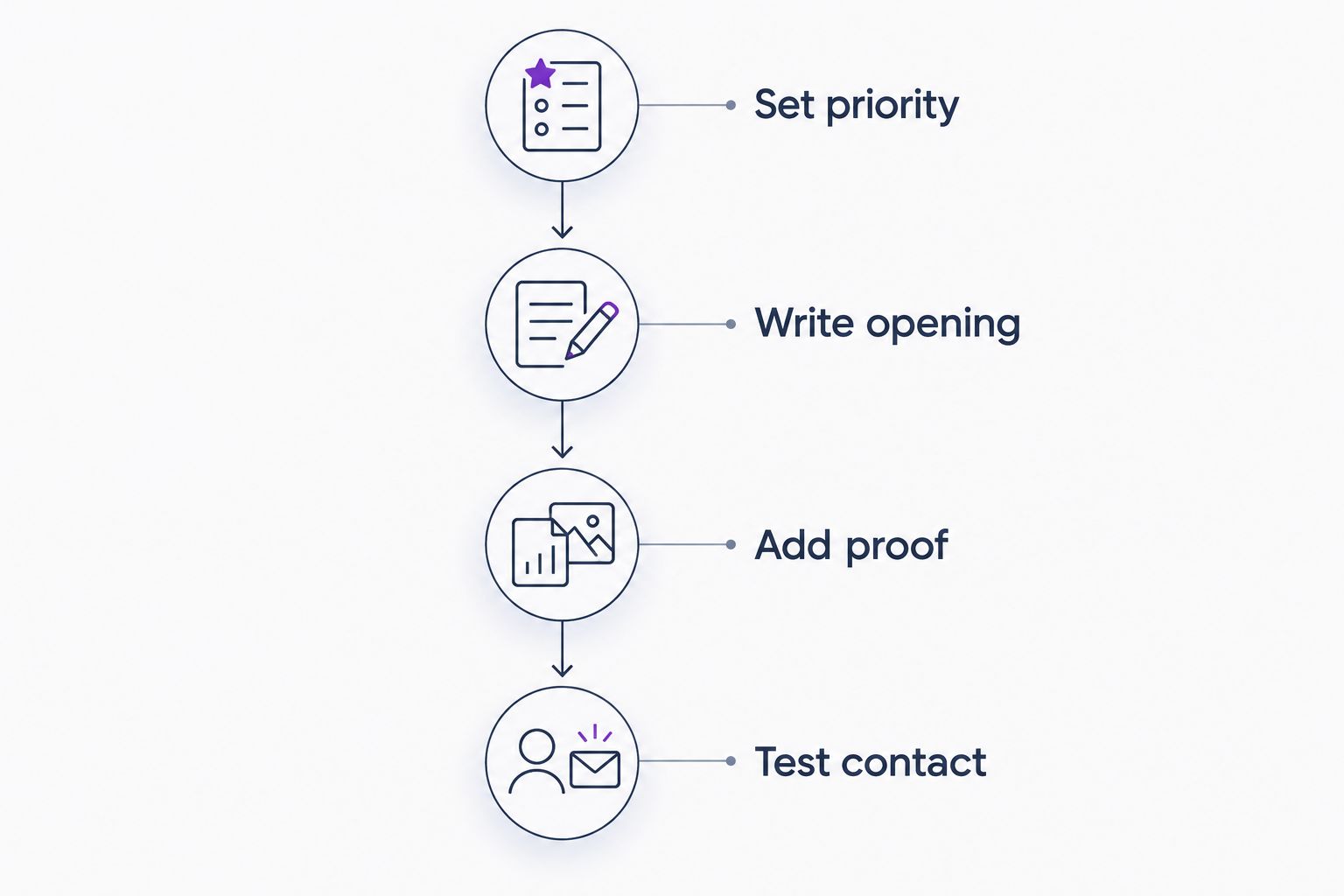
Set priority
Choose the inquiry the homepage should favor. Repair, replacement, and commercial work need different explanations. Write that priority into the brief so later design decisions have a clear purpose.
Write opening
State the service and real service area. Add a contact action that matches the priority. Keep the company history lower down unless it answers a specific buying question.
Add proof
Use job photos you have permission to publish. Describe the work accurately. Show testimonials or credentials only when they are genuine and appropriate to display; otherwise, explain the service clearly without decorative claims.
Test contact
Tap the phone action on a mobile device. Submit the form and confirm that the inquiry reaches the intended recipient. Check the confirmation message so customers know what happened.
For a basic inquiry, consider 4 required fields: name, contact detail, service needed, and service location. Treat that as a starting design recommendation, not a universal rule. Add fields only when the information changes how your team handles the request.
Before any 2026 redesign goes live, review the page, contact details, form behavior, and service claims. Require approval before publishing changes to the live website.
Plan your HVAC homepage
Discuss website design and branding around the services and inquiries your business wants.
Which HVAC homepage layout should you choose?
Choose the Call-first service layout if you are undecided and repair inquiries are your priority. It gives the customer a clear starting point without requiring a long explanation.
Choose the Replacement project layout for installation-led work. Choose the Residential service hub for distinct homeowner services. Choose the Commercial qualification layout for business buyers. Choose the Compact local layout when a short page covers the offering accurately.
For your 2026 homepage, favor the customer journey that matches your work. Do not select a replacement-focused design because its photography looks impressive when your actual priority is repair.
FAQ
What's the best website homepage layout for an HVAC contractor?
The Call-first service layout is the best default when repair inquiries are the homepage's priority. Put the actual service, service area, and contact action near the opening, then add relevant proof.
Is a call-first homepage better than a replacement-focused homepage?
A call-first homepage is better for repair inquiries; a replacement-focused homepage is better for planned installation requests. Choose based on the work you want the page to support, not the visual style.
What should appear at the top of an HVAC website homepage?
The top of an HVAC homepage should identify the service, actual service area, and main contact action. Add a useful supporting detail rather than opening with a long company history.
Should my HVAC homepage say that I offer emergency service?
Use emergency-service language only when your company actually offers that service. Describe contact expectations accurately and avoid implying round-the-clock coverage without a factual basis.
How many fields should my HVAC contact form have?
Start a basic HVAC inquiry form with four required fields: name, contact detail, service needed, and service location. Add required fields only when your team needs that information to handle the request.
Can the same homepage layout work for homeowners and commercial customers?
A shared homepage can serve both audiences when it provides clear routes into residential and commercial information. If commercial work is the main priority, use the Commercial qualification layout and give that audience the main message.
Does Mmcollective provide HVAC website design?
Mmcollective provides website design and branding for HVAC and other trade companies. Its stated services also include logo design and social media management.
One last thing
Test the contact route before approving the look. An attractive homepage with an incorrect phone number or a form sent to the wrong inbox fails its basic job.
Walk through the page as a customer. Identify the service. Check the coverage area. Make the contact action work. Then approve the design for publication. That is the final check your 2026 homepage needs—not another decorative section.