
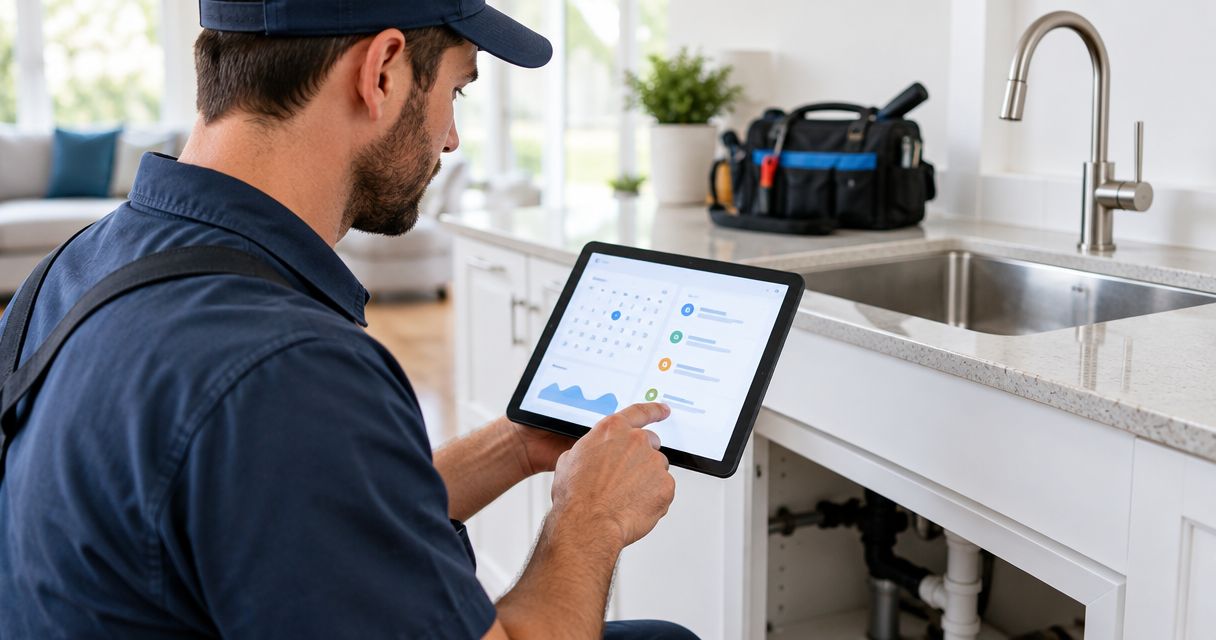
Best overall: Jobber. Best for larger dispatch teams: ServiceTitan. Best for simple consultation scheduling: Calendly. This 2026 guide compares the best booking tools for plumbing company websites by the work they handle, the control they give your office, and the promises they make to customers.
- Jobber leads the best booking tools for plumbing company websites when scheduling must connect to field-service work.
- Housecall Pro suits plumbing teams that want booking alongside dispatch and invoicing.
- ServiceTitan fits larger operations evaluating booking within a broader service-management system.
- Calendly and Acuity Scheduling suit defined appointments, not plumbing dispatch.
- Keep urgent plumbing calls separate from routine online appointment requests.
Why this matters
A booking button makes a promise. Your website needs to make the right one: an appointment request, a confirmed visit, or a scheduled estimate. Those are different commitments.
A homeowner with a leaking water heater needs a different path from someone planning a bathroom remodel. Treating both as ordinary calendar appointments leaves your office sorting out the details afterward.
Moore Media Collective provides website design for trade companies. The practical recommendation here is simple: choose the booking workflow before designing the button around it.
For your 2026 website update, judge the tool by what happens after someone submits. A calendar entry alone does not tell your dispatcher whether the right plumber can reach the right address.
What makes the best plumbing website booking tool?
Use these criteria before comparing names. Your office should be able to explain how each requirement works without guessing.
- Booking clarity: Customers can tell whether they are requesting service or securing a confirmed appointment.
- Dispatch fit: The workflow supports your process for assigning technicians, checking coverage, and handling changing schedules.
- Job information: You can collect the address, contact details, and problem description needed for the next step.
- Website fit: The booking path works on phones and gives customers a clear route back to your business.
- Office workload: Staff can move from the submission to the job without rebuilding the same customer information manually.
- Urgent-call handling: The website keeps time-sensitive problems separate from routine scheduling.
The best plumbing booking tool protects your schedule while making the next step obvious to the homeowner. A shorter form is not automatically better if it leaves out the service address.
Best booking tools at a glance
These are workflow recommendations, not a claim that every account includes every capability. Check current feature packaging and your proposed configuration before committing.
| Tool | Best for | Standout function | Key limitation |
|---|---|---|---|
| Jobber | Smaller teams connecting bookings to jobs | Online booking within field-service management | Requires setup beyond adding a calendar link |
| Housecall Pro | Teams wanting connected daily operations | Booking alongside scheduling, dispatch, and invoicing | Requires agreement on how the office handles submissions |
| ServiceTitan | Larger dispatch operations | Online scheduling within a broader trade-service platform | Broader operating-system decision, not just a website addition |
| Calendly | Defined estimate or consultation appointments | Availability-based meeting scheduling | Does not replace plumbing dispatch software |
| Acuity Scheduling | Appointment intake with structured questions | Scheduling with customizable intake forms | Does not replace field-service job management |
If your current site makes integrations difficult, review these website platforms for plumbers before choosing the booking interface. Decide where the submission should go, not just how the form should look.
1. Jobber: best booking tool for connecting requests to jobs
Jobber combines online booking with field-service functions such as scheduling, quoting, and invoicing. It belongs first on the shortlist when you want website inquiries connected to the system your office uses to manage work.
That connection matters for a plumbing business handling both service visits and estimates. Evaluate the whole path from homeowner submission to an assigned job, including the information your dispatcher still needs to confirm.
Jobber pros:
- Connects booking with a broader field-service workflow.
- Keeps scheduling, quotes, and invoices within one product environment.
- Fits an evaluation focused on managing jobs rather than meetings.
Jobber cons:
- Requires operating decisions beyond the website installation.
- Broader job-management functions add unnecessary scope if you only need consultation appointments.
Best for: Smaller plumbing teams replacing disconnected intake and scheduling processes.
Before choosing Jobber, ask for a demonstration using your actual service categories. A drain-clearing request and a replacement estimate should not become indistinguishable entries simply because both arrived online.
Verdict: Buy Jobber if you want booking connected to field-service management.
2. Housecall Pro: best booking tool for connected daily operations
Housecall Pro brings online booking together with scheduling, dispatch, and invoicing. Put it on your shortlist when your office wants customer intake connected to the daily work calendar.
The buying decision is about how your team runs the business, not which widget looks cleaner. Walk through what happens when a homeowner submits a request while your dispatcher is already moving jobs around.
Housecall Pro pros:
- Combines booking with daily field-service functions.
- Supports an evaluation covering office and technician workflows together.
- Includes invoicing within the same broader product.
Housecall Pro cons:
- Requires staff agreement on who handles incoming bookings.
- A move into the wider system reaches beyond a website redesign.
Best for: Plumbing businesses selecting booking, dispatch, and office workflows together.
Ask the provider to demonstrate a routine request, a duplicate submission, and a cancellation. Then have your office explain who acts next in each case. Unclear ownership is a process problem that a new button will not fix.
Verdict: Buy Housecall Pro if its connected workflow matches your office process.
3. ServiceTitan: best booking tool for larger dispatch teams
ServiceTitan is a trade-service management platform with online scheduling capabilities, including Scheduling Pro. Evaluate it when website booking needs to fit a broader operation with established dispatch and customer-management processes.
This is not a recommendation to replace your business software just to improve a contact form. Start with your operating requirements, then assess how the online booking component fits them.
ServiceTitan pros:
- Places online scheduling within a trade-focused operating platform.
- Connects the booking decision to broader dispatch requirements.
- Suits an evaluation involving several operational stakeholders.
ServiceTitan cons:
- Expands the decision beyond the website team.
- Adds unnecessary scope when a simple appointment scheduler is sufficient.
Best for: Larger plumbing operations assessing booking as part of their business-management system.
Bring your dispatcher into the demonstration. Ask how the proposed configuration handles service areas, job types, and customer expectations. Get specific answers for your setup rather than assuming that a platform name guarantees a particular workflow.
Verdict: Buy ServiceTitan when the broader operating platform fits your business.
4. Calendly: best booking tool for defined consultation slots
Calendly schedules appointments against configured availability. It is a useful option for defined conversations, such as a remodeling consultation or a commercial-project introduction.
Calendly is not a plumbing dispatch system. A free appointment slot does not establish travel feasibility, technician qualifications, or the scope of an unknown repair.
Calendly pros:
- Gives customers a direct path to available appointment times.
- Fits clearly defined consultations and introductory calls.
- Avoids requiring a field-service platform for meeting scheduling alone.
Calendly cons:
- Does not replace technician dispatch or job management.
- Requires a separate process when a consultation becomes field work.
Best for: Plumbing businesses scheduling estimate conversations rather than confirming repair arrivals.
For example, offer a 30-minute consultation only if that is the appointment your business intends to provide. Do not present the same slot as a guaranteed repair visit. The label needs to match the commitment.
Verdict: Buy Calendly for defined consultations; skip it as your dispatch system.
5. Acuity Scheduling: best booking tool for appointment intake
Acuity Scheduling combines appointment scheduling with customizable intake forms. Consider it when you need customers to answer structured questions before a defined appointment.
For a plumbing company, that might mean gathering project details ahead of a consultation. The form helps collect information, but your team still needs a process for reviewing it and arranging any field work.
Acuity Scheduling pros:
- Combines appointment selection with intake questions.
- Supports a structured consultation-booking process.
- Lets you evaluate appointment intake without adopting full field-service management.
Acuity Scheduling cons:
- Does not replace dispatch or job-management software.
- Long intake forms create more work for customers before submission.
Best for: Plumbing businesses that need structured information before consultations or assessments.
Keep questions tied to an actual decision. Ask for the service address when coverage matters. Ask about the project when that answer changes preparation. Leave questions out when nobody uses the response.
Verdict: Buy Acuity Scheduling for structured appointments, not technician dispatch.
How the tools are ranked
The 2026 ranking prioritizes plumbing workflow fit over calendar appearance. Jobber leads because the recommendation centers on connecting website booking to field-service work. Housecall Pro serves a similar need, while ServiceTitan belongs in a broader operational evaluation.
Calendly and Acuity Scheduling serve narrower appointment use cases. Their lower positions do not make them poor choices. A consultation scheduler is the better fit when a consultation is all you need.
Moore Media Collective recommends matching plumbing website booking to the way your office actually handles jobs. Product capabilities inform this shortlist; your configuration and acceptance test determine the final choice.
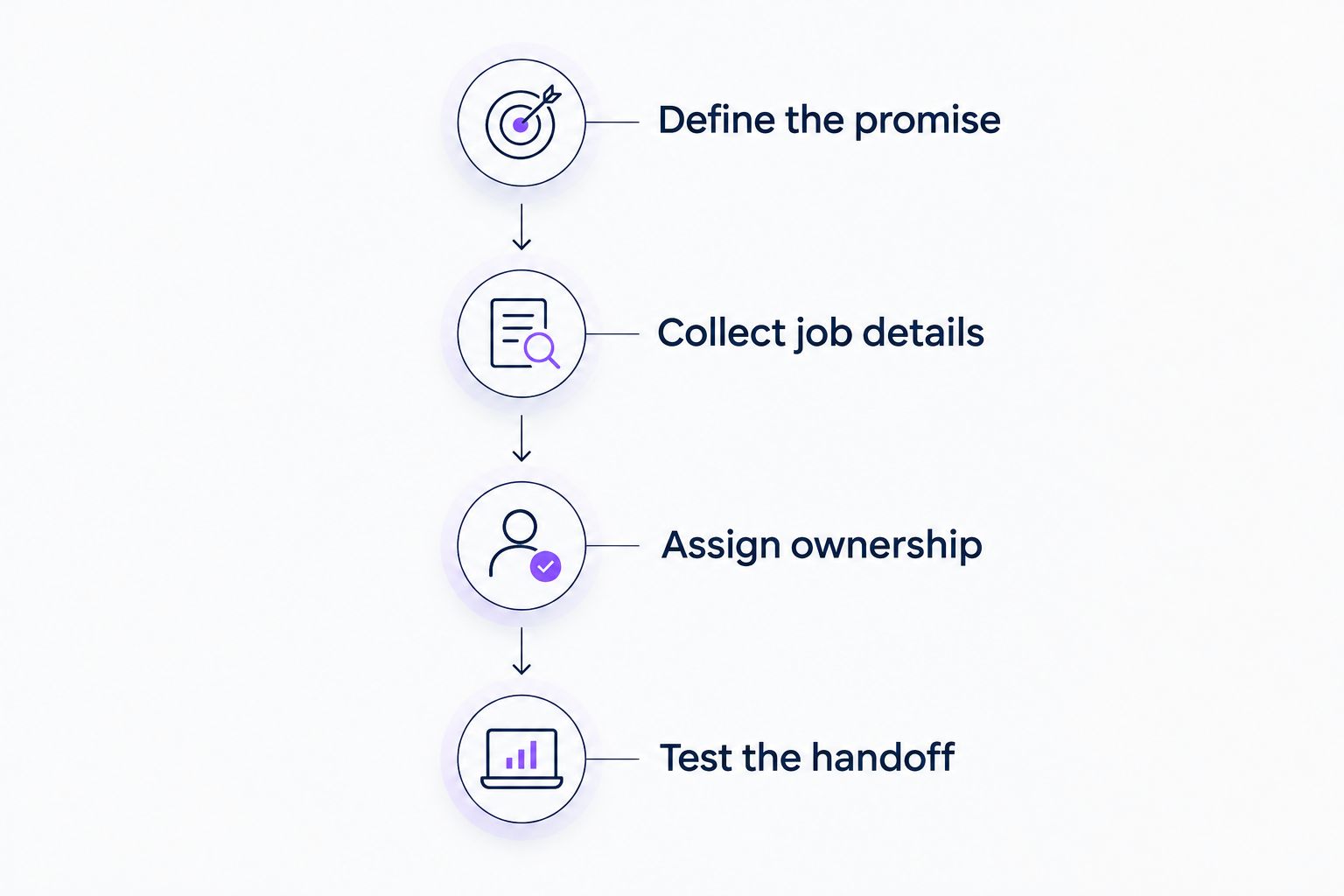
Set up the booking path before launch
Your 2026 launch checklist should cover the customer promise, the office handoff, and the fallback when online booking is the wrong route. Use this sequence before publishing.
Define the promise
Write the button and confirmation language first. Use wording such as request service, book a consultation, or choose an appointment only when it accurately describes what happens.
If staff must confirm the visit, say so before submission. Do not leave that qualification buried in the confirmation message.
Collect job details
Start with contact details, service address, and a short problem description. Add questions only when the answer changes routing, preparation, or the next step.
A 60-minute appointment window, for example, should describe a real scheduling commitment your team has chosen. It should not imply a repair duration.
Assign ownership
Name the person responsible for checking new submissions. Decide who handles requests received outside office hours and how staff mark them as handled.
Keep urgent-call instructions visible. Do not promise emergency response unless your business actually provides it.
Test the handoff
Run a 15-minute test session on a phone. Submit a routine request, change the appointment if the workflow permits it, and check what both the customer and office receive.
Confirm that the address and problem description reach the person handling the job. Finish the test by checking the confirmation language against the actual booking status.
A booking tool and a website layout need to work together. Moore Media Collective provides website design for plumbing and other trade companies; any proposed changes to your live website should go through your approval process.
Which plumbing booking tool should you choose?
Choose Jobber as the default shortlist option when website bookings need to become managed field-service jobs. Compare Housecall Pro against the same office workflow, and include ServiceTitan when you are evaluating a broader operating platform.
Choose Calendly for defined consultation slots. Choose Acuity Scheduling when structured appointment intake is the priority. Neither should be treated as a substitute for dispatch.
For 2026, keep the buying decision practical: demonstrate one real customer journey from your website to your office. If the handoff is unclear, resolve it before signing off on the implementation.
FAQ
What's the best booking tool for a plumbing company website?
Jobber is the default shortlist choice when website booking needs to connect to field-service job management. Compare its proposed workflow with Housecall Pro before choosing.
Is Calendly suitable for a plumbing business?
Calendly is suitable for defined consultations and introductory appointments. It does not replace technician dispatch or field-service job management.
Is Housecall Pro better than Jobber for online booking?
The better choice depends on the complete office workflow, not the booking screen alone. Have both providers demonstrate the same service request and compare the handoff to scheduling and dispatch.
Should plumbers let customers book emergency repairs online?
Do not treat an ordinary online appointment as a confirmed emergency response. Keep urgent-call instructions separate and state only the response commitments your business actually provides.
What information should a plumbing booking form collect?
Start with contact details, the service address, and a short description of the problem. Add questions only when the answer changes routing, preparation, or the next step.
Do I need dispatch software or just an appointment scheduler?
Use dispatch software when you need to manage technician assignments and field-service jobs. A standalone appointment scheduler fits defined consultations that do not require those functions.
What should I test before adding online booking to my website?
Test the customer submission, office notification, booking status, and confirmation wording. Make sure the person handling the job receives the address and problem description.
One last thing
Book your own service through your phone before asking customers to do it. Then read the confirmation as a homeowner would.
If the message sounds like a confirmed arrival but your office sees an unreviewed request, fix the wording first. That mismatch matters more than the color of the booking button.